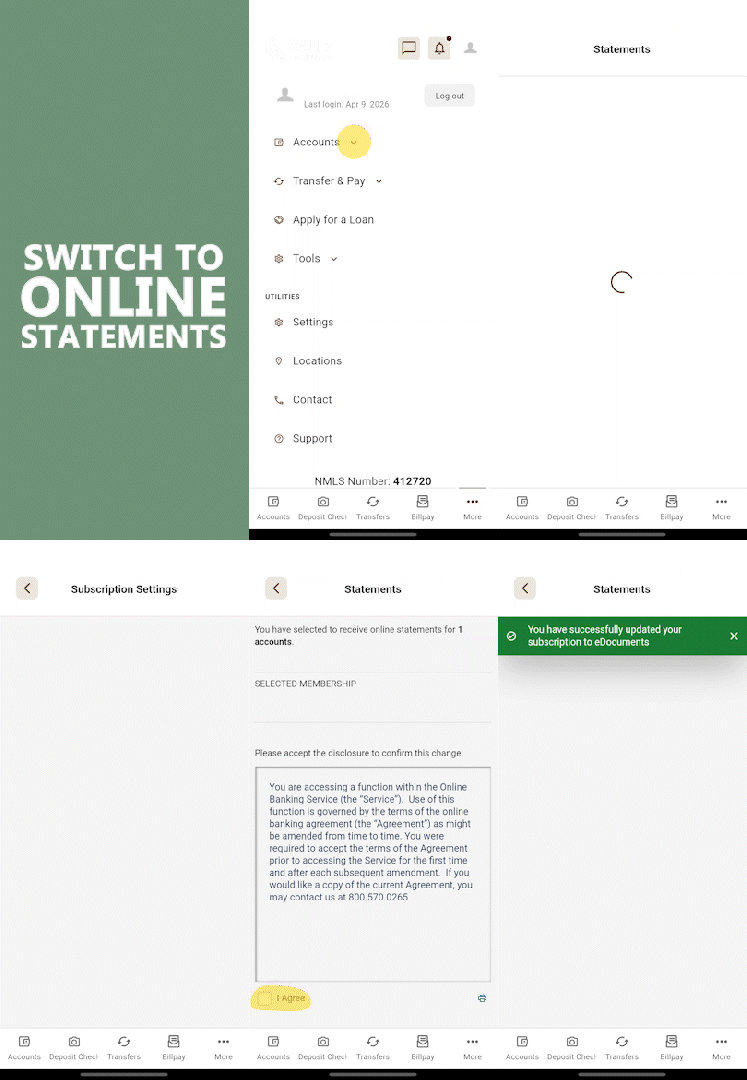
Within the mobile app, select More on the bottom row
Choose Accounts > Statements
Choose Settings (near the top)
Select Statements, then Online, then Continue in the top-right
Click I Agree to accept the disclosures, then click Save (near the top)
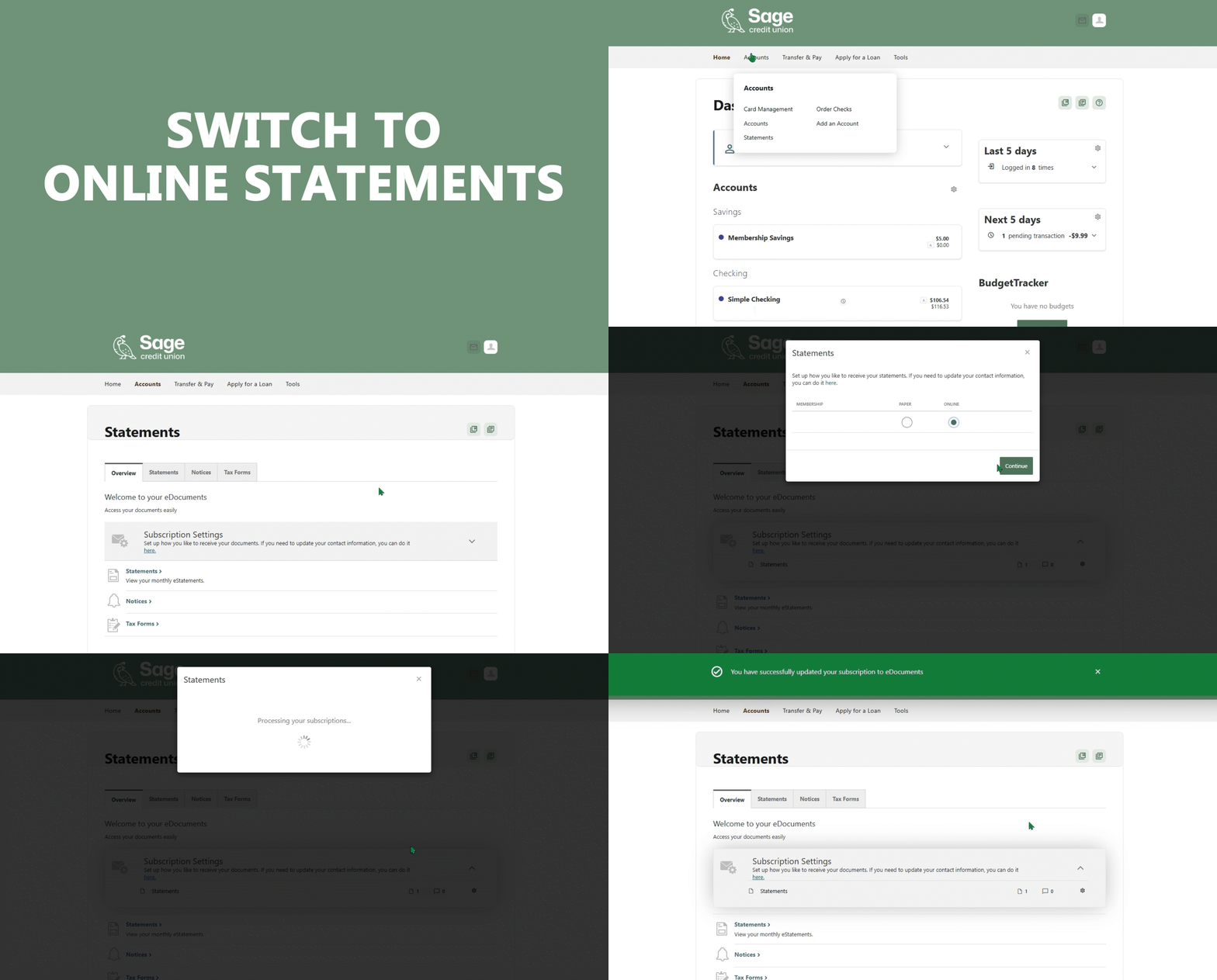
In a web browser:
If you haven’t already, register and login with Online Banking.
Select Accounts > Statements
Choose Subscription Settings, then the gear icon
Choose Online, then Continue
Click I Agree to accept the disclosures, then click Save
You are about to navigate away from Sage CU’s website. Clicking on the link will take you to another website that is not operated by Sage Federal Credit Union. Sage CU is not responsible for the content of the third-party website or transactions between our members and the third-party website. The privacy & security policies of the third-party website may differ from Sage CU’s practices.